
5 Things to Know Before Buying a Printer in Oman- A Complete Guide

Few technology purchases frustrate people more than printers.
A laptop either works or it doesn’t. A smartphone is usually straightforward. Printers are different. They can seem perfect in the showroom, only to become expensive headaches a few months later.
The printer was cheap. The ink wasn’t. The scanner looked useful. The software wasn’t. The specifications sounded impressive. The real-world performance wasn’t. This is the case if you buy printers in Oman without considering five important aspects. Interested in knowing those aspects? Keep reading!
Understanding printers and office solutions in Oman properly can save hundreds of OMR over the life of a printer. Whether you’re looking for a home printer, office printer, scanner, toner cartridges, or printer accessories, the goal isn’t buying the most expensive machine. The goal is buying the right machine. A printer should make work easier, not create more work.
Why Do So Many Printer Buyers Regret Their Purchase?
Most printer buyers focus on the initial price. That makes sense; it’s the number staring directly at them. Unfortunately, the purchase price is often the least important cost associated with a printer. The real expense usually comes later: ink cartridges, toner replacements, maintenance, downtime, replacement parts, and compatibility issues.
A printer costing 35 OMR can easily become more expensive than a printer costing 120 OMR if the running costs are significantly higher. This is one of the biggest mistakes we see in Oman. Customers buy a low-cost printer for their business, then six months later they’re spending far more on consumables than they would have with a better machine. That’s frustrating, and avoidable.
What Should You Consider Before Buying a Printer in Oman?
Before comparing brands, specifications, or features, answer one question: what exactly will this printer be doing? A student printing assignments has different requirements from an accounting office printing invoices. A family printing occasional documents has different needs than a logistics company producing hundreds of pages every week. Understanding usage comes first. Everything else follows.
How Many Pages Will You Print Each Month?
This is the most important question buyers rarely ask themselves. If you print occasionally, an entry-level printer may be enough. If you print daily, running costs become much more important. Businesses often underestimate their print volume, then discover they purchased the wrong device.
Do You Need Colour Printing?
Many users think they do. Many actually don’t. Black-and-white printing remains sufficient for invoices, contracts, reports, government forms, and internal office documents. Colour printing becomes important when handling marketing materials, presentations, educational projects, product catalogues, and photographs. Choosing correctly can significantly reduce operating costs.
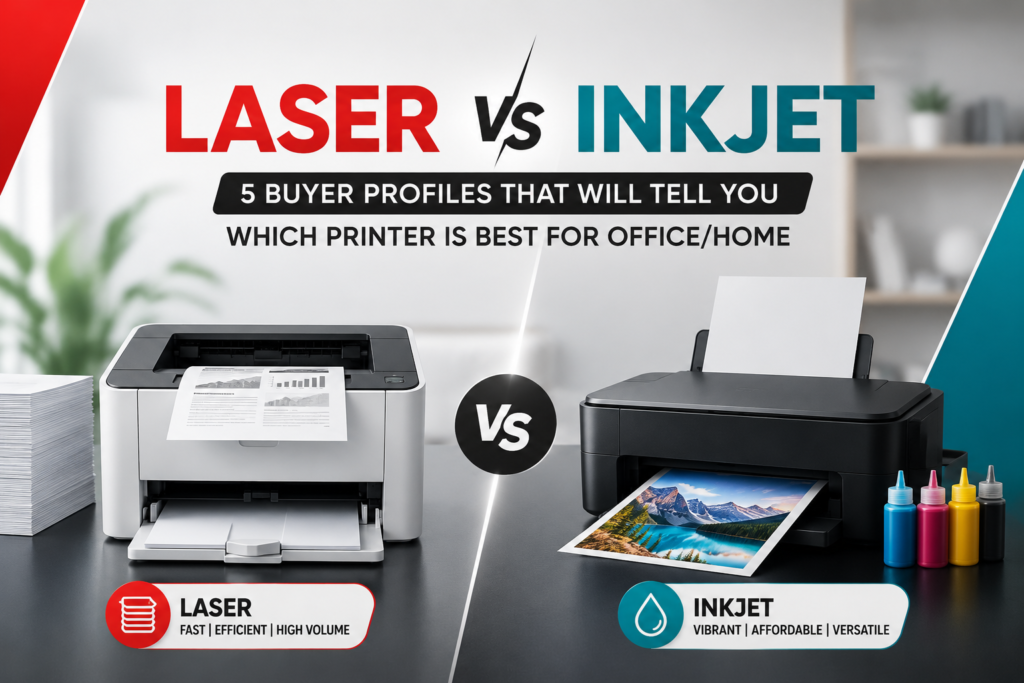
1. Inkjet vs Laser — The Most Important Decision You’ll Make
Printer technology has improved dramatically, yet most buyers still choose between two main categories.
Inkjet printers remain popular for home users. It is generally affordable, compact, good for colour printing, and suitable for photos. Many students and families prefer inkjet printers because of their lower initial cost, though that lower purchase price doesn’t always mean lower ownership costs.
Laser printers dominate many office environments, known for faster printing, lower cost per page, higher monthly output, and better efficiency. Businesses often choose laser printers because reliability matters; a printer that handles heavy workloads consistently becomes valuable very quickly.
| Feature | Inkjet Printer | Laser Printer |
|---|---|---|
| Initial Cost | Lower | Higher |
| Colour Quality | Excellent | Good |
| Print Speed | Moderate | Fast |
| Running Costs | Higher | Lower |
| Heavy Workloads | Moderate | Excellent |
| Home Use | Excellent | Good |
| Business Use | Good | Excellent |
The mistake many buyers make is focusing entirely on purchase price. The smarter approach is evaluating total ownership cost. An office printing hundreds of pages per month often saves money with a laser printer despite paying more upfront. A student printing assignments occasionally may be perfectly happy with an inkjet model. The right printer depends on the workload, not marketing claims. Browse our full range of printers and scanners in Oman to compare both technologies side by side.
2. Home Printers — What Actually Matters for Everyday Use
Home users represent one of the largest printer categories in Oman: students, families, remote workers, and freelancers, each with slightly different needs.
Many buyers now prefer multifunction devices that combine printing, scanning, and copying, sometimes with fax functionality as well. The benefit is obvious: one device handles multiple tasks, less space, less clutter, more convenience. For most home users, an all-in-one printer offers the strongest overall value.
Many advertisements focus on specifications, but most home users should focus on practical benefits instead: wireless printing, mobile printing, scanning capability, easy cartridge replacement, and affordable operating costs. Those features matter every day. Many advanced technical specifications do not.
Why Are Wireless Printers Becoming So Popular?
Ten years ago, most printers sat beside a computer connected by cable. That’s no longer necessary. Modern wireless printers allow printing from smartphones, tablets, laptops, and desktop computers without physically connecting anything, particularly useful for families, shared offices, small businesses, and remote workers, since a single printer can support multiple users effortlessly. Modern wireless technology has matured significantly, and for most users, wireless capability has become a standard expectation rather than a luxury feature.
3. Office Printers — What Businesses Should Actually Prioritise
Business requirements differ significantly from home requirements. Office environments prioritise reliability, speed, efficiency, and cost control. The cheapest printer rarely wins in these categories.
A good office printer should handle daily workloads, multiple users, high-volume printing, and long operating hours without constant intervention. The goal isn’t simply printing documents; rather, it’s keeping business operations moving smoothly. Every minute spent troubleshooting equipment costs money, which is why reliability matters.
Business buyers should prioritise fast print speeds, duplex printing, network connectivity, low operating costs, and easy maintenance. Features that save time usually save money as well. Connecting a printer reliably also depends on having the right cable or adapter on hand; our PC and laptop accessories in Oman guide covers the USB and display connectivity issues that affect printers just as much as computers
Why Are Printers and Scanners Still Important?
People often assume everything is digital now. Reality looks different. Contracts still need signatures, government paperwork still requires physical copies, schools still use printed materials, and businesses still rely on documentation. Scanning quality depends on scan speed, resolution, document handling, and software support. Many businesses underestimate scanner importance until they begin digitising paperwork, when efficiency suddenly becomes critical.
4. Running Costs — Why the Sticker Price Is the Wrong Number to Focus On
Many buyers compare printer prices. Far fewer compare printing costs. That’s a mistake.
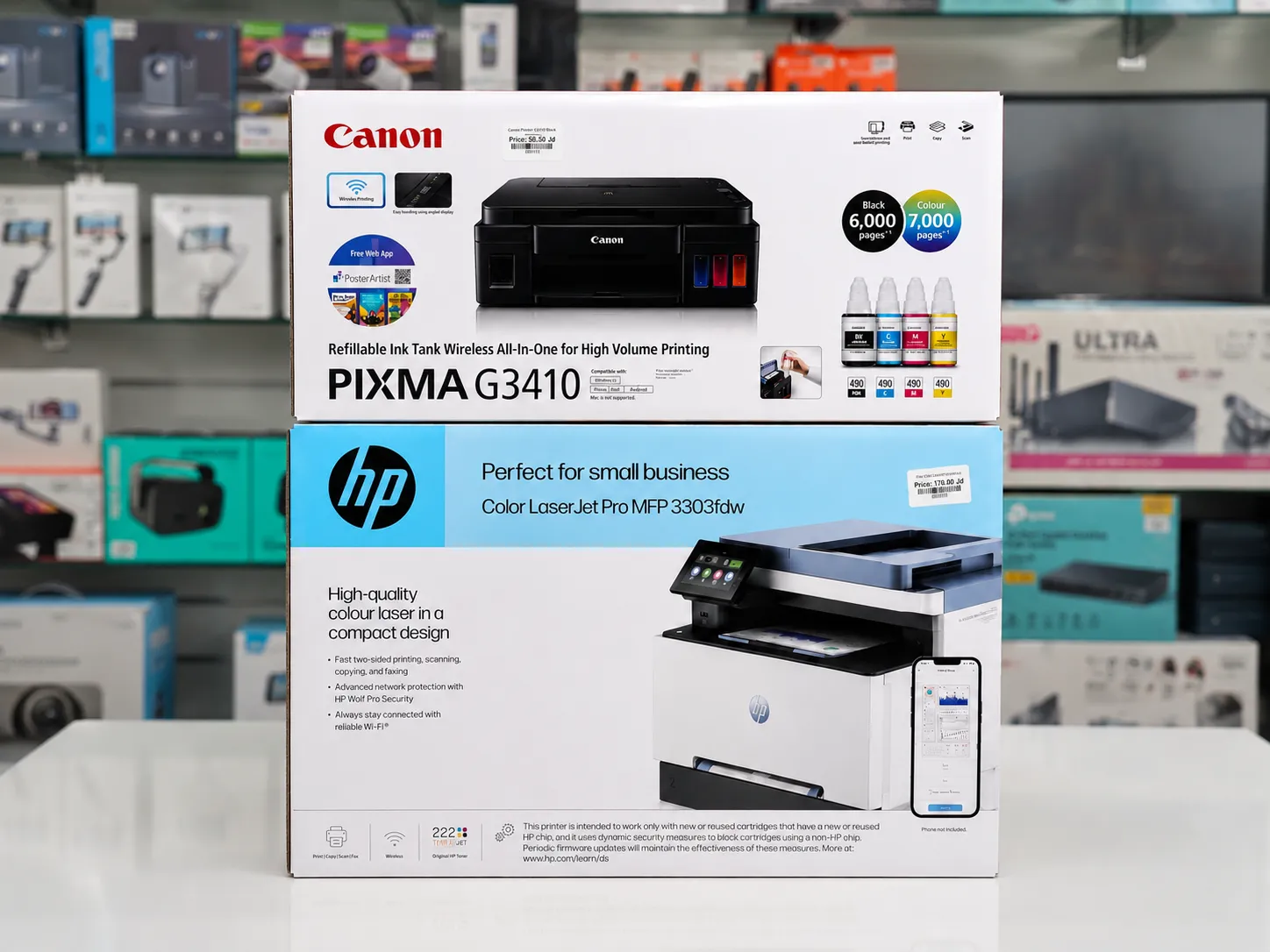
Consider two printers: Printer A costs 35 OMR, Printer B costs 110 OMR. At first glance, Printer A looks like the obvious choice. But if Printer A consumes expensive cartridges and Printer B uses high-yield toner, the more expensive printer may actually save money within months. Experienced buyers understand this. First-time buyers often don’t.
Cost per page is one of the most important metrics in printing. Businesses that print regularly should always evaluate cartridge yield, toner capacity, paper consumption, and maintenance costs. According to Consumer Reports’ printer cost analysis, ink-related costs over a printer’s lifetime can exceed the original purchase price several times, making the cartridge price and yield far more important than the printer’s sticker price for anyone printing regularly.
Original vs Compatible Printer Cartridges — Which Is Better?
Original consumables usually offer consistent print quality, better reliability, lower risk of printer issues, and manufacturer compatibility. Businesses printing important documents often prefer original supplies because consistency matters. Compatible cartridges often provide lower purchase costs and wider budget flexibility, but quality varies significantly. Some perform well, others create problems, which is why trusted suppliers matter. A low-quality cartridge can create far more frustration than the money it saves.
5. Printer Accessories – The Overlooked Half of the Printing Ecosystem
Many people focus entirely on the printer itself. That’s understandable; the printer is the main purchase. However, many printing problems aren’t actually caused by printers. They’re caused by accessories: poor-quality consumables, incorrect cartridges, worn maintenance components, low-quality paper, and incompatible accessories. These issues can affect print quality, increase operating costs, and reduce printer lifespan.
Businesses that print regularly should never wait until supplies run out. Important accessories to keep in stock include ink cartridges, toner cartridges, maintenance kits, printer drums, transfer rollers, replacement trays, USB printer cables, and network accessories. A few spare consumables can prevent major disruptions, particularly important for accounting firms, schools, logistics companies, and offices that rely heavily on printed documents. A spare USB flash drive is also worth keeping nearby for transferring documents directly to a printer without a network connection; our storage devices in Oman guide covers capacities and speeds worth knowing
What Printer Features Save the Most Time?
Some printer features sound impressive but provide little value. Others save hours every month.
Automatic duplex printing prints on both sides of the page automatically, reducing paper usage, lowering costs, and producing more professional-looking documents.
Automatic document feeders (ADF) allow faster scanning, greater efficiency, and less manual work — for businesses handling paperwork daily, this feature can dramatically improve productivity.
Mobile and cloud printing lets you print directly from Google Drive, OneDrive, smartphones, and tablets, improving convenience and flexibility for modern offices.
Home Printer vs Business Printer — What Is the Difference?
| Feature | Home Printer | Business Printer |
|---|---|---|
| Initial Cost | Lower | Higher |
| Monthly Volume | Lower | Higher |
| Print Speed | Moderate | Fast |
| Running Cost | Higher | Lower |
| Durability | Moderate | High |
| Multi-User Support | Basic | Advanced |
The right choice depends on usage, not assumptions.
How to Choose the Right Printer in 5 Steps
Step 1: Calculate monthly print volume — estimate realistically, don’t guess.
Step 2: Decide between colour and monochrome — colour printing isn’t necessary for everyone.
Step 3: Determine whether scanning is needed — many buyers benefit from multifunction devices.
Step 4: Compare running costs — consumables matter, sometimes more than the printer itself.
Step 5: Buy from a trusted source — support, warranty, and genuine accessories matter. A printer is a long-term purchase. Treat it accordingly.
What Printer Solutions Are Most Popular in Muscat Right Now?
Current demand remains strong for wireless all-in-one printers, office laser printers, document scanners, toner-based printing systems, mobile printing solutions, and affordable printer consumables. Students often focus on affordability, businesses focus on efficiency, and remote workers usually want multifunction convenience. Understanding these priorities helps buyers avoid unnecessary spending.
Build a Printing Setup That Saves Time and Money
The best printer isn’t necessarily the most expensive. It isn’t always the fastest. And it certainly isn’t always the one with the longest feature list.
The best printer is the one that matches your actual needs. Whether you’re a student, remote worker, small business owner, or corporate buyer, focusing on long-term value will produce better results than chasing the lowest purchase price.
Understand your printing requirements. Calculate operating costs. Choose reliable accessories. Invest in quality where it matters.
Browse all printers and office essentials at Sky Gadgets Oman
Frequently Asked Questions
Which printer is best for home use in Oman?
Most home users benefit from an all-in-one inkjet printer with wireless connectivity. These devices combine printing, scanning, and copying while remaining affordable and easy to use for students, families, and remote workers.
Should I buy a laser printer or an inkjet printer?
Laser printers are usually better for businesses and high-volume printing. Inkjet printers remain excellent for colour printing, photos, and general home use. The right choice depends on how frequently you print.
Are wireless printers reliable?
Yes. Modern wireless printers provide stable connectivity and allow printing from smartphones, tablets, laptops, and desktops. For most users, wireless printing is now a standard feature rather than a luxury.
What are the most important printer accessories?
Important accessories include toner cartridges, ink cartridges, maintenance kits, printer drums, replacement trays, and quality printing paper. Having essential consumables available prevents unnecessary downtime.
Are original printer cartridges worth the extra cost?
For many users, yes. Original cartridges generally provide better reliability, print quality, and compatibility. Businesses printing important documents often prefer original consumables to reduce potential issues.
What should I consider before buying a scanner?
Focus on scan speed, document handling, image quality, and software compatibility. Businesses digitising large amounts of paperwork should prioritise efficiency and reliability.